
Every prop firm rule, and your live account statistics, in one panel
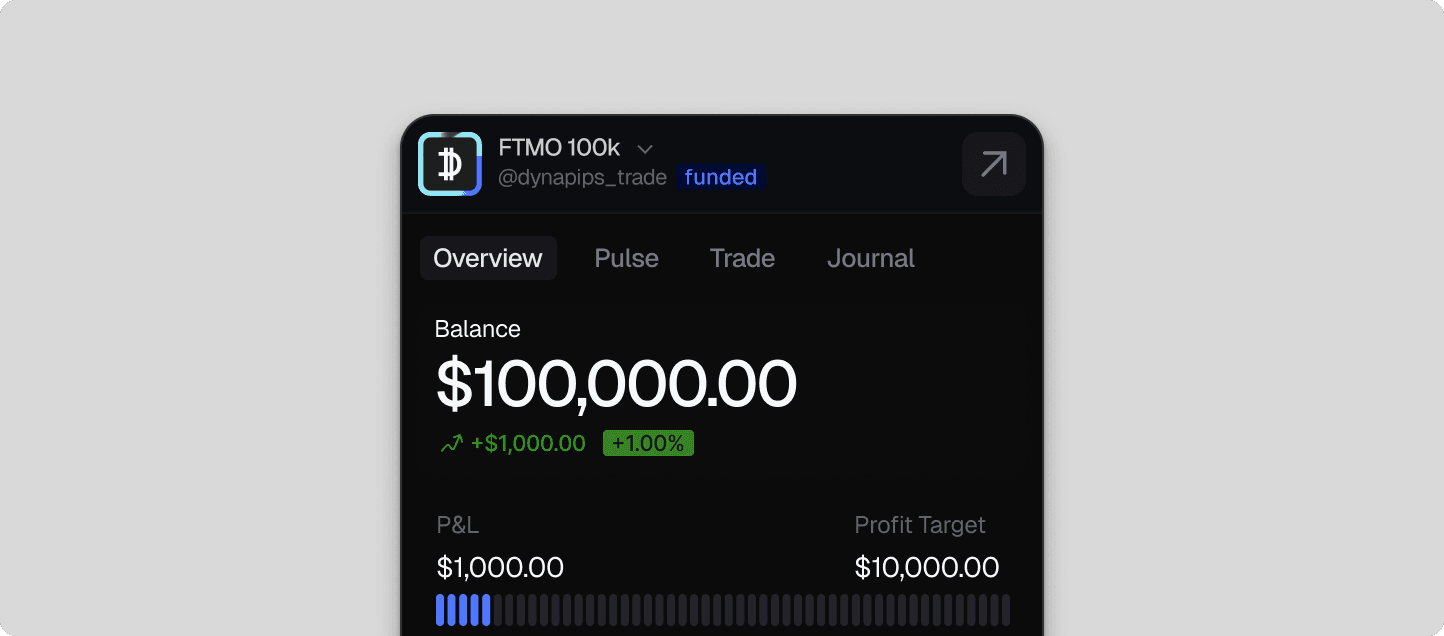
Most evaluations are not lost on a bad trade. They are lost on a rule the trader forgot was there — a daily loss limit measured from the wrong balance, a consistency band nobody read to the end, a trailing drawdown that moved while the position was open. Overview is the panel being built to keep all of it in front of you, for the account you are actually trading.
In build, with a closed group of traders using it.
A funded account is a rule set with money attached
Ten prop firms will use ten different definitions of the same four words — daily loss, maximum drawdown, consistency, profit target — and each definition decides whether you get paid. Whether drawdown trails your equity or sits static under your starting balance. Whether the daily reset follows the broker's server time or your own. Whether a limit is measured intraday or only at the close. The differences are not cosmetic: how prop firm daily drawdown is actually measured decides whether a Friday afternoon is a normal session or your last one.
The rule set behind Overview is built from each firm's published terms and will be updated when those terms change, so the numbers you are judged against are the numbers on your screen. Your firm always remains the authority on your account; this is the copy you can check mid-session without opening a PDF.
Remaining room is something you can size against. A limit is only something to remember.
Where evaluations actually fail
Traders plan around the profit target, because that is the number in the marketing. Payouts are more often lost to the limits nobody advertises: one outsized winner that breaks a consistency band, a drawdown breach on a position held overnight, a daily loss counted against yesterday's high-water balance rather than this morning's opening one.
So Overview is designed to show each limit as room remaining rather than as a threshold — how much you can still lose today, how far the trailing drawdown sits below you, how much of your profit is concentrated in your best day. Remaining room is a number you can size a position against.
Statistics that update while you trade
This is not a dashboard you visit after the session. Overview is designed to run in the Chrome side panel next to TradingView or your broker's terminal, with balance, profit and loss and profit target progress moving as you trade. Autosync from your connected terminal is planned to remove the typing as well, so checking a rule costs a glance rather than a tab switch and a spreadsheet.
It is the same reason the rules and the statistics live together: a limit means nothing without your current position against it, and a statistic means nothing without the rule it is about to breach. If you are still choosing which rule set to trade under, the education library walks through the mechanics one at a time.
What it does
- Balance, profit and loss, and profit target progress, updating as you trade and synced automatically from your connected terminal.
- Daily loss and maximum drawdown shown as remaining room, rather than a limit you have to hold in your head.
- Consistency tracked alongside the headline rules, because it is what quietly fails payouts.
- Rule sets are maintained from each firm's published terms — your firm remains the authority on your account.
- One panel, open beside the chart, rather than a review you do afterwards.